
- New! 😁


Hides shipping costs and tax amounts in the cart and add-to-cart popup until a customer enters a delivery address, preventing misleading estimated figures from being shown to guest shoppers.
Hide Shipping & Tax Until Address is a lightweight PrestaShop module that prevents estimated shipping costs and tax figures from being shown to customers until they have actually entered a delivery address.
Out of the box, PrestaShop calculates and displays shipping and tax amounts in the cart summary and add-to-cart popup as soon as a product is added — even when no delivery address is known. For stores that ship internationally or use carrier-based tax rules, this leads to potentially incorrect or misleading figures being shown to new visitors and guest shoppers.
This module solves that problem cleanly, with zero impact on the checkout process itself.
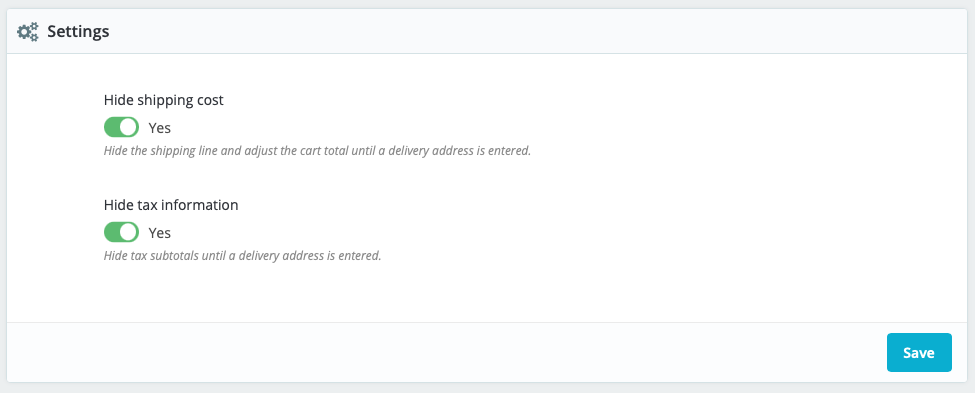
Navigate to Modules → Hide Shipping & Tax Until Address → Configure.
| Setting | Description | Default |
|---|---|---|
| Hide shipping cost | Replaces the shipping line with "Calculated at checkout" and removes the shipping amount from displayed totals | Enabled |
| Hide tax information | Hides tax subtotals and the tax-inclusive total row until an address is entered | Enabled |
| PrestaShop Version | Status |
|---|---|
| 1.7.x | ✅ Fully compatible |
| 8.x | ✅ Fully compatible |
Theme compatibility: Built for the Classic theme and any theme derived from it. If your store uses a heavily customised theme with non-standard class names, minor selector adjustments may be required.
Other modules: Compatible with ps_checkout (PayPal) and standard carrier/tax rule configurations. Does not modify any order data, carrier assignments, or tax calculations — purely presentational.
kr_hideshipping_v1.1.3.zip)To update from a previous version, uninstall the existing version first, then install the new zip.

Hides shipping costs and tax amounts in the cart and add-to-cart popup until a customer enters a delivery address, preventing misleading estimated figures from being shown to guest shoppers.